Get found
Wrong opening hours on Google can send a customer to a locked door, or straight to someone else. Update your hours, holiday hours, services and description on one simple screen, check exactly what’s changing, and it’s pushed to your Google Business Profile, so what people see is always right.
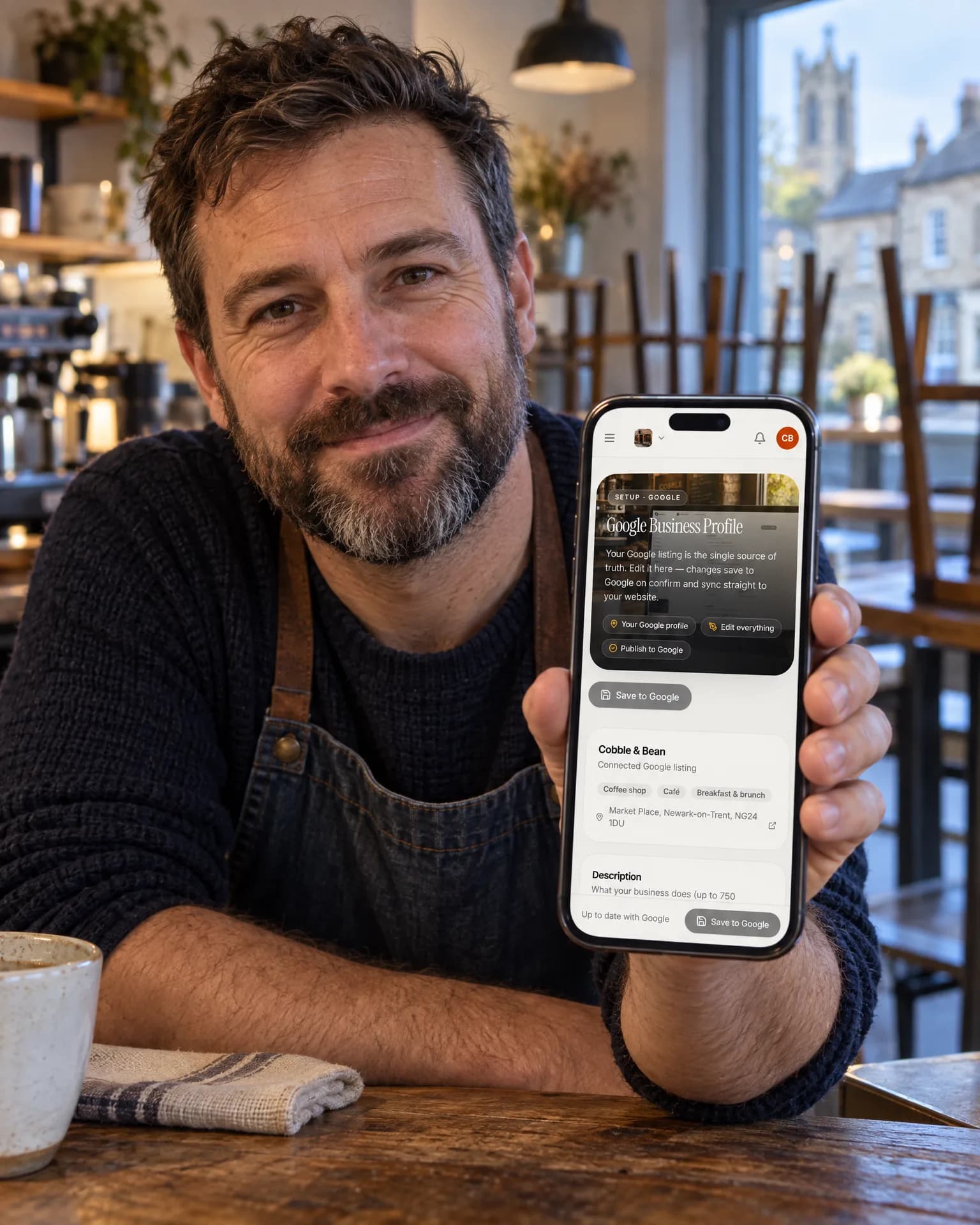
Coffee shop · Newark
What changes
No more wasted journeys
Opening hours and special hours for bank holidays, Christmas and your summer break go straight to Google, so nobody turns up to a closed door or rings while you’re away and assumes you’ve shut for good.
A listing that sells you
A clear description, up to Google’s 750 characters, plus your services, phone, website, social links and the yes/no attributes Google offers your category, gives searchers what they need to pick you.
One version of the truth
The same details feed the website we build you and your review page, and your listing is re-read every hour, so a change made inside Google flows back too. Nothing drifts out of step.
The film
Connect once with your own Google sign-in, update your description, phone, website, opening and holiday hours, services and social links on one screen, check old against new and send only the changes; your logo and cover photo come from your brand kit, and the listing is re-read hourly.
Read the transcript
0:00Your Google Business Profile, kept right.
0:04Wrong opening hours on Google can send a customer to a locked door, or straight to someone else.
0:10Connect once, with your own Google sign-in. Then update your details on one screen: your description, phone and website, opening and holiday hours, services and social links.
0:22Before anything is sent, you see the old next to the new, and only the changes go to Google.
0:29Your logo and cover photo can be set from your brand kit, too.
0:33And your listing is re-read every hour, so changes made in Google flow back, and the same details keep your website and review page in step.
0:43So, from bank holidays to the summer break, what people see on Google is always right.
0:49LocalQuiver. Your marketing, sorted.
Open “Your Google Business Profile, kept right” on its own page →Browse all our films →
How it works
- 01Connect onceSign in with your own Google account and pick your listing. Nobody sees your password, and you can withdraw access whenever you like.
- 02Edit on one screenChange your description, phone, website, opening and holiday hours, services, social links and attributes in one place, with a live character count for the description.
- 03Check, then sendA confirm screen shows old against new before anything goes to Google, and only the fields you actually changed are sent.
- 04Stays in stepYour listing is re-read every hour, so edits made directly in Google flow back, and your logo and cover photo can be set from your brand kit.
What's included
- Description editor with Google’s 750-character count
- Opening hours and special holiday hours
- Phone number and website link
- Service names and social profile links
- The yes/no attributes Google offers for your category
- An old-against-new check before anything is sent
- Only the changed fields pushed to Google
- Hourly re-read, so changes made in Google flow back
- Logo and cover photo set from your brand kit
- Your own Google sign-in, with no password shared
By industry
The same feature works differently for a pub than a plumber. See how it works for yours.
Not from here. Your description, phone, website, opening and holiday hours, services, social links and attributes can all be edited and sent to Google. The business name, address, map pin and categories stay as they are, and are changed inside Google itself.
No. You connect once with your own Google sign-in and pick your listing, so nobody sees your password, and you can withdraw access at any time. Editing needs this full connection, and it’s the same connection that lets the Review Agent reply to your Google reviews.
Accurate, complete information helps customers and gives Google a clearer picture of your business, but nobody can promise a map position. If you want to see where you actually show up across your area, Google Maps rank tracking scans it once a month.
Your logo and cover photo can be set on Google from your brand kit. Gallery photos aren’t uploaded from this screen, and Google posts come from the Social Agent instead, which can share your best reviews to your profile as branded cards.
That’s fine. Your listing is re-read every hour, so changes made inside Google flow back. Before you send anything from our screen, you see the old version against the new, and only the fields you actually changed are sent.
Book a free, no-pressure chat and we'll show you how Google Business Profile would work for your business, set up and running for you.