Keep customers
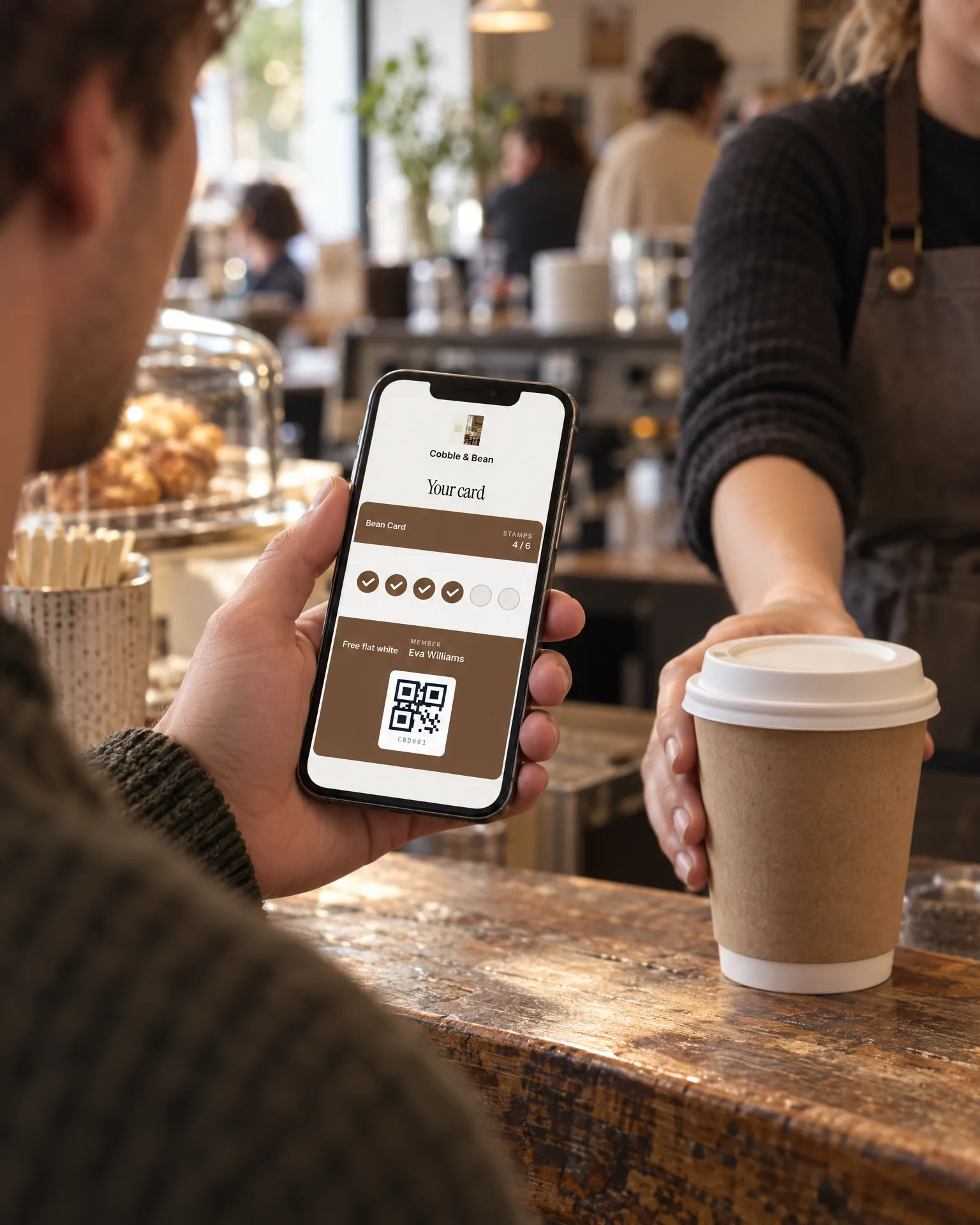
A stamp or points card that lives in your customers’ Apple or Google Wallet, on the phone they carry everywhere. They join by scanning the QR code on your counter poster, with no app to download, and your team stamps it with any phone camera. No paper cards lost in the wash.
What changes
Regulars with a reason to return
A stamp card of two to twelve stamps, or a points card with a rewards menu, gives people a reason to pick you over the place next door. A full stamp card starts again once the reward is claimed, so the habit keeps going.
Offers that reach the lock screen
Members who ticked the offers box can get a message as a wallet notification, right on their lock screen. Send it to everyone, the nearly there, those with a reward ready, or regulars you haven’t seen lately. Built-in limits keep it from feeling pushy.
Your regulars, turned into reviews
Members who leave an email or phone number become contacts, ready for a review request. The people who visit most often are often the ones happiest to say so on Google.
The film
Stamp or points cards in Apple and Google Wallet: customers join from the counter-poster QR with no app, staff stamp by scanning with any phone camera, and updates, offers and a nearby prompt arrive on the lock screen.
Read the transcript
0:00Digital loyalty cards that bring them back.
0:03Paper stamp cards get lost in pockets, purses and the wash. And a lost card is one less reason to come back.
0:11Customers scan the QR code on your counter poster, add their name, and their card goes straight into Apple or Google Wallet. No app to download.
0:20Choose stamps, or points with a rewards menu. Your team adds them by scanning the card with any phone camera.
0:27Every stamp and reward shows up on their lock screen. And you can send offers as wallet messages, to members who've opted in.
0:35On iPhone, a "you're nearby" prompt can even pop up on their lock screen when they're close.
0:42A reason to choose you, again and again.
0:47LocalQuiver. Your marketing, sorted.
Open “Digital loyalty cards that bring them back” on its own page →Browse all our films →
How it works
- 01Choose your rewardStamps or points, how many stamps earn the reward and what the reward is. We set it up, with a branded join page behind the QR code on your counter poster.
- 02Customers scan to joinThey scan the QR, add their name on your join page, and the card goes into Apple or Google Wallet. If they give an email or phone, their card link is sent to them.
- 03Staff stamp at the tillYour team opens a PIN-protected staff link on any phone or tablet and scans the card with the camera. There are no logins to share, and a mis-scan can be undone within 15 minutes.
- 04Rewards bring them backEach stamp, points top-up, full card and redeemed reward shows up on their lock screen, so your card stays front of mind between visits.
What's included
- A stamp card of 2 to 12 stamps, or a points card
- Apple Wallet and Google Wallet, with no app or account
- A branded join page behind your counter-poster QR code
- Points typed in, or worked out from what they spend
- A PIN-protected staff link with three access levels
- Any phone or tablet camera, or a USB or Bluetooth scanner
- Look members up by name, phone number or card code
- Lock-screen updates for stamps, points, full cards and rewards
- Offer messages as wallet notifications, to members who opt in
- Member list, activity and spreadsheet export
By industry
The same feature works differently for a pub than a plumber. See how it works for yours.
Questions
No. The card sits in Apple Wallet or Google Wallet rather than a separate app. They scan your QR code, type their name on your join page and add the card to their wallet. There’s nothing to install and no account to create, so joining takes less effort than finding a pen.
No. Your team opens a PIN-protected staff link on any phone or tablet and scans the customer’s card with the camera. If you already have a USB or Bluetooth scanner, it works on the staff link too, and you can always look a member up by name, phone number or code.
No. Stamps and points are added by scanning the QR code on the customer’s card, which is quick with any phone camera. Our tap cards do a different job: a tap opens your review page, so they sit happily beside the loyalty poster on your counter.
Yes, to members who ticked the separate box to hear about offers. Messages arrive as wallet notifications on their lock screen, not by text or email. Pick everyone, the nearly there, those with a reward ready or those you haven’t seen lately. Each card gets at most one a day, and each person one every three days.
No, it doesn’t connect to tills or EPOS systems, and it doesn’t need to. Your team adds stamps or points from the staff link, typing points in or letting them be worked out from the spend they enter. Every stamp and reward is logged in your member activity.
Book a free, no-pressure chat and we'll show you how digital loyalty cards would work for your business, set up and running for you.