Most people who land on a local business website are on a phone and want three answers fast: do you do what I need, do you cover where I am, and how do I get hold of you. Everything on this checklist either answers those questions faster or helps the right people find the site in the first place.
It's written for UK businesses, legal bits included, with a table at the end.
Built for phones: the first screen and speed
The first screen
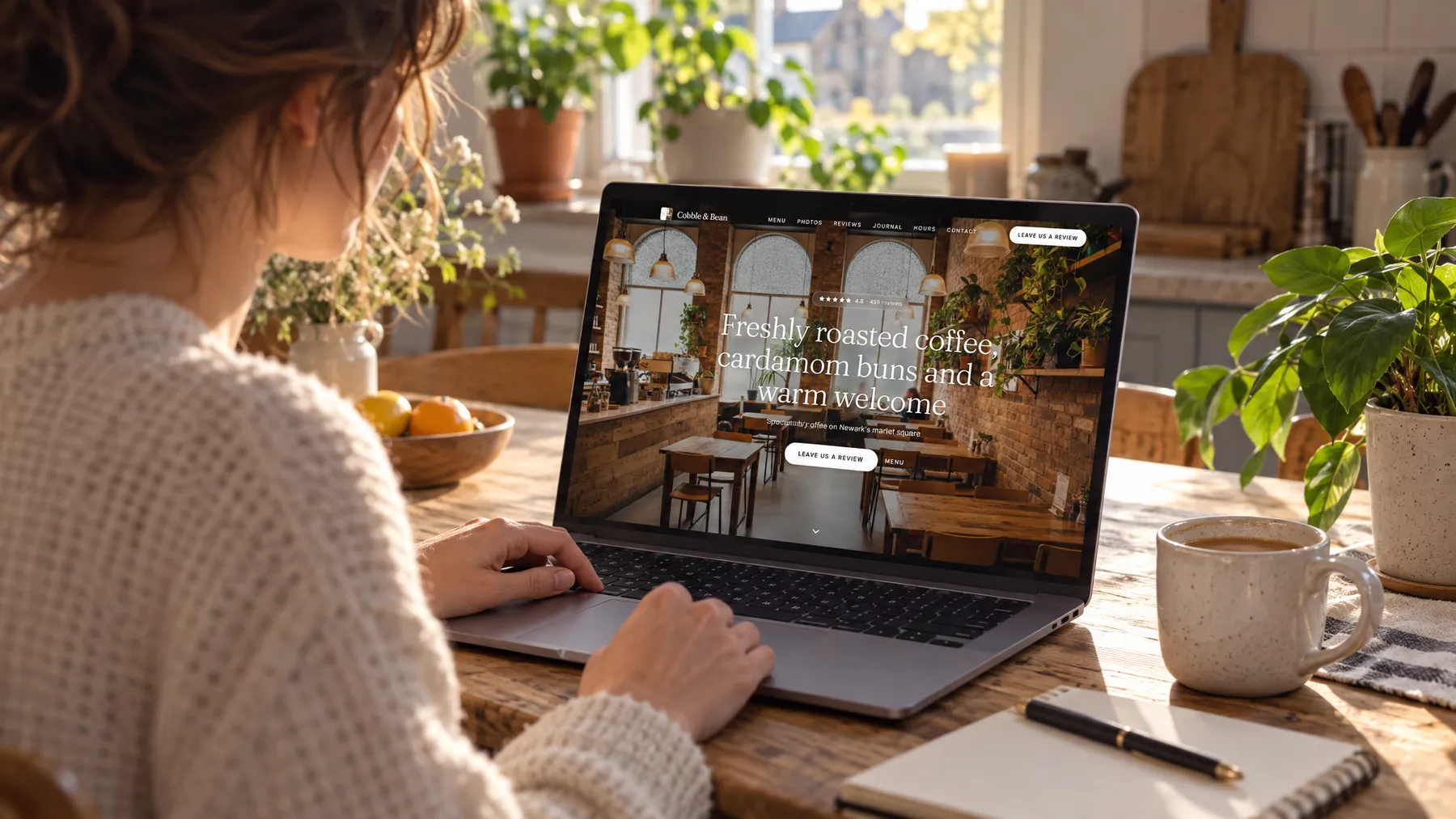
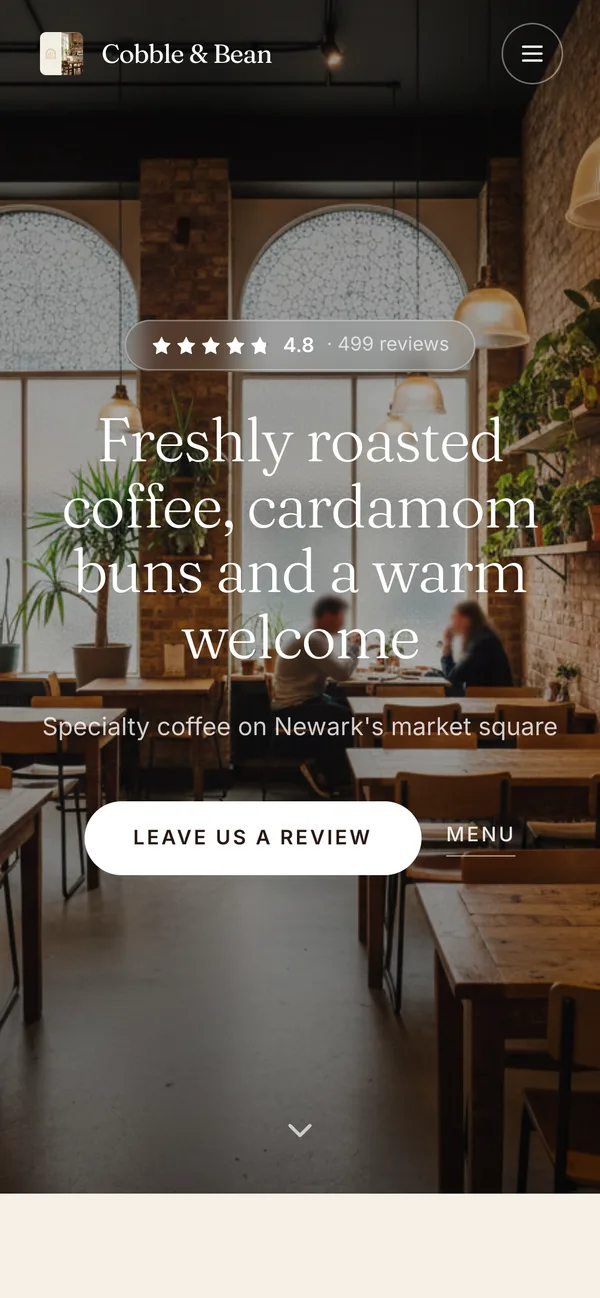
The top of your homepage, before anyone scrolls, has three jobs.
- Say what you do and where. "Emergency plumber in Bury and Ramsbottom" beats "Welcome to our website" every time.
- Make contact one tap away. On a phone, your number should be a click-to-call link, not text people have to copy into the dialler. Keep it in the header.
- Offer one clear next step. Call, book, get a quote or see the menu: pick the one that matters most and make it the main button. Five competing buttons is four too many.
A line of proof helps too, such as your Google rating linked to your reviews.
Speed
A slow site loses people before they've seen anything. Google's web.dev guidance defines three Core Web Vitals, which measure how a page feels to real visitors:
| Measure | In plain English | Google's "good" target |
|---|---|---|
| Largest Contentful Paint (LCP) | How long the main content, usually the big photo or headline, takes to appear | Within 2.5 seconds |
| Interaction to Next Paint (INP) | How quickly the page responds to a tap or click | 200 milliseconds or less |
| Cumulative Layout Shift (CLS) | How much things jump about as the page loads | 0.1 or less |
Google suggests measuring at the 75th percentile of page loads, separately for mobile and desktop, so the targets hold for most visits, not just the quickest. PageSpeed Insights and the Core Web Vitals report in Google Search Console both show how your pages measure up.
The usual culprits are huge photos uploaded without resizing, a video playing automatically across the homepage, pop-ups that cover the page as it opens, and old plugins nobody remembers adding. Then test on your own phone, on mobile data rather than the shop wifi. If you'd give up waiting, so will your customers.
What to put on the page
A page per service, and the areas you cover
One page listing everything you do in a sentence each won't do much. A page per main service will. Each should say what's included, who it's for and which areas you cover for it, and answer the questions people ask, with real photos and a clear way to enquire.
Name your area in plain words: "We cover Harrogate, Knaresborough and the villages in between." A footer crammed with forty town names reads badly to customers.
Real photos
Stock photos make every business look the same. Your own photos of the team, the premises and finished jobs show people what they'll actually get, even if they're taken on a phone. Give each one alt text: Google's SEO Starter Guide describes good alt text as "a short, but descriptive piece of text that explains the relationship between the image and your content", and it's what screen reader users hear in place of the picture.
Reviews
Reviews belong on your site, not just on Google. Show real ones with the reviewer's first name and the date, say where they were posted, and keep them current. Never edit, trim or invent them. Review widgets that update themselves save copying them over by hand.
Trust signals
Give people reasons to let you into their kitchen, their mouth or their car: accreditations and memberships you genuinely hold, with a number or link people can check; insurance, if it matters in your trade; written warranties, if you offer them; and real names and photos of the people who'll turn up. Only show what's true. A trade body logo you're not entitled to use does more damage, once spotted, than no logo at all.
Make getting in touch easy
The enquiry form
Keep it short: name, a phone number or email address, and a message box. Trades can add a photo upload, because a picture of the leaking pipe answers half the questions. Then:
- give every field a visible label, not just grey placeholder text that vanishes as someone types;
- say what happens next, for example "We reply within one working day";
- show a clear confirmation when the form has gone;
- link to your privacy notice beside the send button;
- send yourself a test enquiry every month.
Opening hours, address and a map
Write your opening hours on the page as text, and make sure they match your Google Business Profile, bank holidays included. Our Google Business Profile checklist covers that side. If customers come to you, show your full address and a link to directions. If you go to them, say which areas you cover instead.
Basic local SEO
Page titles and descriptions
Google's SEO Starter Guide says a good page title is "unique to the page, clear and concise, and accurately describes the contents of the page", and can include your business name, your location and what the page offers. "Boiler servicing in Bury | Hartley Heating" works. "Home" doesn't.
The snippet under your search result is mostly taken from the page itself, but Google sometimes uses the meta description, which it says should be "short, unique to one particular page, and includes the most relevant points of the page." Google also says it doesn't use the keywords meta tag and there's no magic word count, so write for people, not for repetition.
LocalBusiness structured data
Structured data is a short block of code that gives search engines your key details in a format they can read reliably. Google's local business documentation says it can tell Google about your opening hours, different departments and more, and its examples use the JSON-LD format. The essentials:
- Required: your business name and address.
- Recommended: phone number, website address, map coordinates, opening hours and a price range, plus cuisine and a menu link for restaurants.
- Type: the most specific one that fits, such as Restaurant, rather than plain LocalBusiness.
Two cautions. Google only recommends the rating and review properties for sites that collect reviews about other businesses, so marking up your own reviews isn't a route to stars. And Google doesn't promise that features using structured data will appear at all. Check your code with its Rich Results Test either way.
For how this fits with ChatGPT and other assistants, see our guide to AI search for local businesses.
Accessibility basics
The GOV.UK Service Manual says government services must meet level AA of WCAG 2.2, the internationally recognised accessibility guidelines. You're not a government service, but it's the right yardstick, and most of it makes a site easier for everyone. From the GOV.UK summary, the basics are:
- alt text for images, and captions for videos;
- text colours that show up clearly against the background, and never colour alone to carry meaning;
- pages that still work with text enlarged to 200%;
- everything usable with a keyboard, with a visible highlight on whatever is selected;
- descriptive links, such as "See our boiler servicing prices" rather than "click here";
- form fields with visible labels, and errors that are easy to fix;
- buttons big enough, or far enough apart, to tap accurately.
Two quick tests: zoom your browser to 200% and see what breaks, then try sending an enquiry using only the Tab and Enter keys.
The legal bits for UK websites
This isn't legal advice, but don't skip these two.
A privacy notice
If your website collects personal data, through an enquiry form for instance, people have a right to be informed under UK GDPR. The ICO says you must give them privacy information at the time you collect it, in clear and plain language, covering points that include:
- who you are and how to contact you;
- why you're collecting the data, and your lawful basis for using it;
- who you share it with, and how long you keep it;
- people's rights, including the right to complain to a supervisory authority (in the UK, that's the ICO).
Link to it in your footer and next to every form.
Cookies and consent
The rules on cookies, and on similar technologies that store or read information on a visitor's device, come from the Privacy and Electronic Communications Regulations (PECR). The ICO's current guidance says this is prohibited unless one of five exceptions applies; if none does, you need consent. One exception covers things essential to provide the service someone has asked for.
Another covers analytics, but it's narrower than it sounds. It applies only when the sole purpose is collecting statistical information about how your site is used, so you can improve it. You must give visitors clear and comprehensive information and a simple, free way to object, and any analytics provider may only use the information to help you improve your site. It doesn't cover tracking individual visitors, and the ICO is clear that advertising purposes always need consent.
Where you do need consent, the ICO expects refusing to be as easy as accepting (a "Reject all" button alongside "Accept all"), a positive action such as clicking a button before any non-exempt cookies are set, and no "by continuing to use this site, you agree" banners. For videos embedded from other platforms, it says to configure the embed so it doesn't set cookies as soon as someone opens the page, and to tell people under the video that pressing play will.
The websites LocalQuiver builds use cookieless analytics, so they normally need no cookie banner. Add your own advertising pixel or chat widget, though, and that can change.
The checklist
| Area | What good looks like | Done |
|---|---|---|
| First screen | What you do and where, tap-to-call, one main button | ☐ |
| Speed | LCP within 2.5 seconds, INP 200 milliseconds or less, CLS 0.1 or less | ☐ |
| Mobile | Tested on your own phone, on mobile data | ☐ |
| Services | A page per main service, with areas covered and FAQs | ☐ |
| Photos | Your own, each with descriptive alt text | ☐ |
| Reviews | Real and recent, showing where they came from | ☐ |
| Enquiry form | Short, labelled, says what happens next, tested monthly | ☐ |
| Hours and location | In text, matching your Google Business Profile | ☐ |
| Trust | Only accreditations you genuinely hold | ☐ |
| Titles and descriptions | Unique to each page: service, place and business name | ☐ |
| Structured data | LocalBusiness (or a more specific type) with name, address, phone, hours | ☐ |
| Accessibility | Works at 200% zoom and by keyboard, clear contrast, labelled fields | ☐ |
| Privacy notice | In the footer and beside every form | ☐ |
| Cookies | Consent where it's needed, with Reject as easy as Accept | ☐ |
Common mistakes to avoid
- A headline that says "Welcome" instead of what you do and where.
- A phone number that can't be tapped, or only appears in the footer.
- Website opening hours that disagree with Google.
- A menu or price list that only exists as a PDF or a photo.
- An enquiry form that quietly stopped delivering messages months ago.
- Reviews pasted in once, years ago, and never updated.
- A cookie banner with "Accept" but no "Reject".
- A footer copyright year that's years out of date.
The short version
- Lead with what you do, where you do it, and a tap-to-call button.
- Keep it quick on a phone, using Google's Core Web Vitals as the target.
- Give each main service its own page, with your own photos and real, current reviews.
- Keep the enquiry form short, and test it.
- Get titles, descriptions and LocalBusiness structured data right.
- Cover accessibility, a privacy notice and the ICO's cookie rules.