When someone nearby searches for "plumber" or "breakfast near me", Google usually shows a map with three businesses under it, above the ordinary website results. For many local searches, those three listings are the first thing people see, and Google has published, in its own words, how it chooses them.
This guide walks through Google's three ranking factors, what you can and can't influence, the practical levers worth your time, why your position changes depending on where the searcher is standing, and the myths that waste money or put your listing at risk.
What the map pack actually is
The map pack (also called the local pack or 3-pack) is the block of local results with a map attached. Semrush describes it as "the top three local business listings for location-based searches", appearing "typically above the traditional blue organic links", with details like the business name, star rating, address and opening hours.
Every listing in it is a Google Business Profile. Google's own help page puts it simply: when a customer searches for a business or place near their location, "they'll find local results on Google Maps and Search". Tap to see more places and you get the full list, which works much like Google Maps itself.
Two things follow from that:
- Your Business Profile is the thing being ranked. Your website still matters, as you'll see below, but the profile is what people see and tap.
- There are only three places. Small differences between you and the businesses around you decide who gets shown and who is one tap away.
You'll also see ads in and around these results. Google's Ads help explains that local ads can appear "as independent ad units or embedded ads within organic modules", and in the expanded list of places they are "clearly marked as 'Sponsored'". Those are paid placements. This article is about the free listings.
Google's three ranking factors, in its own words
Google's help page "Tips to improve your local ranking on Google" is short, and it's the closest thing to an official rulebook. It says local results are "mainly based on relevance, distance and popularity", then explains the three under the headings relevance, distance and prominence.
Relevance
"Relevance is how well a Business Profile matches what someone is searching for." Google's advice is to "provide complete and detailed business info" so it can match you to the right searches. In practice that means your categories, services, description and website all telling Google, clearly and consistently, what you do.
Distance
"Distance refers to how far each business is from the customer who's searching. If a customer doesn't share where they are, Google uses what it knows about their location." This is the factor that makes local search so different from ordinary search, and the one you have least say over.
Prominence
"Prominence means how well-known a business is." Google adds that this is "also based on info like how many websites link to your business and how many reviews you have", and that "more reviews and positive ratings can help your business's local ranking."
The same page is blunt about two more things. "There's no way to request or pay for a better local ranking on Google." And Google keeps "the search algorithm details confidential". Anyone claiming to know the exact formula is guessing.
What you can control, and what you can't
| Factor | What you control | What you don't |
|---|---|---|
| Relevance | Your categories, services, description, attributes and website | Which words people type, and how Google reads them |
| Distance | An accurate address or service area | Where the searcher is when they search |
| Prominence | Asking for reviews, replying, earning local links and mentions | How many reviews and links your competitors already have |
| The formula | Nothing | Google keeps it confidential, and you can't pay to move up |
The honest summary: you can make yourself the most relevant, best-trusted choice in your area. You can't make yourself the closest business to every searcher.
The levers worth your time
These are the things that map directly to what Google says it looks at. Work through them in order.
- Verify your profile and fill in every section. Google says verifying "tells Google that you're authorised to represent the business, so it's more likely to show up in search results", and that "businesses with complete and accurate info are more likely to show up in local search results." Complete means your full address if customers visit, your hours including special opening hours, your category, and details like parking or Wi-Fi. Our Google Business Profile checklist goes through every field.
- Get the primary category right. Google's category help says "the categories that you select affect your local ranking on Google." Pick the most specific category for your core business. Google's test is that it should complete the sentence "This business IS a", not "this business HAS a". Add extra categories only for genuine parts of the business: the guidelines say to "use as few categories as possible".
- Earn reviews steadily, and reply to them. Reviews feed prominence directly. Ask every happy customer, with a Google review link or QR code, which is exactly what Google's own review tips suggest. Never offer anything in return: Google says incentives in exchange for customers to post, change or remove reviews count as fake engagement and are "strictly prohibited". Reply too. Google says replies show "that you value their feedback", and "positive reviews and helpful replies can help your business stand out." There's more on this in how to get more Google reviews.
- Add real photos, and keep adding them. Google lists photos and videos as a way to "show customers what you offer and tell the story of your business". Show your shop front, the inside, your team at work and your best products or dishes. Real, recent photos tell people far more than one stock image.
- Keep your name, address and phone number identical everywhere. Google's guidelines ask you to represent your business as it's "consistently represented and recognised in the real world across signage, stationery and other branding". Use exactly the same details on your profile, website, Facebook page and directory listings. Google also says it "can detect category information from your website and from mentions about your business throughout the web", so mixed messages elsewhere work against you.
- Give your website a clear page for each main service. Your website is where Google and customers check what you actually do. One page per main service, written plainly, with the towns and areas you cover named in the copy and your address and phone number on every page. Resist making near-identical copies of the same page for every nearby town: they read as filler to people and add nothing. Links to your site from other local websites, such as a supplier, a local paper or a community group, also count, because Google says prominence is partly based on "how many websites link to your business".
- Publish genuinely helpful local content. Google's guidance on helpful content says its ranking systems are designed to prioritise helpful, reliable information created to benefit people, not content made to manipulate search rankings, and asks whether your content shows "first-hand expertise". For a local business, that means answering the questions customers actually ask: what a boiler service includes, how to keep a bouquet fresh, what happens at a first vet appointment. Write from experience, and keep it about your area.
Why your position changes from one street to the next
Because distance is one of the three factors, there's no single answer to "where do I rank?" Take an illustrative plumber called Dan's Heating. He might appear at the top for "plumber" when someone searches from the end of his road, sixth from the other side of town, and not at all ten miles out. Nothing is broken. The searcher moved.
It also explains why checking from your own counter gives a flattering picture. You're standing next to your business, so you're seeing close to your best result.
To get a fairer view, you need results from lots of places at once. That's why map-grid rank tracking exists. A tool runs the same search as though it were standing at each point of a grid spread across your area, and records where you appear at each one. The result is a map of coloured pins showing where you're strong, where you fade and which competitor beats you in each patch.
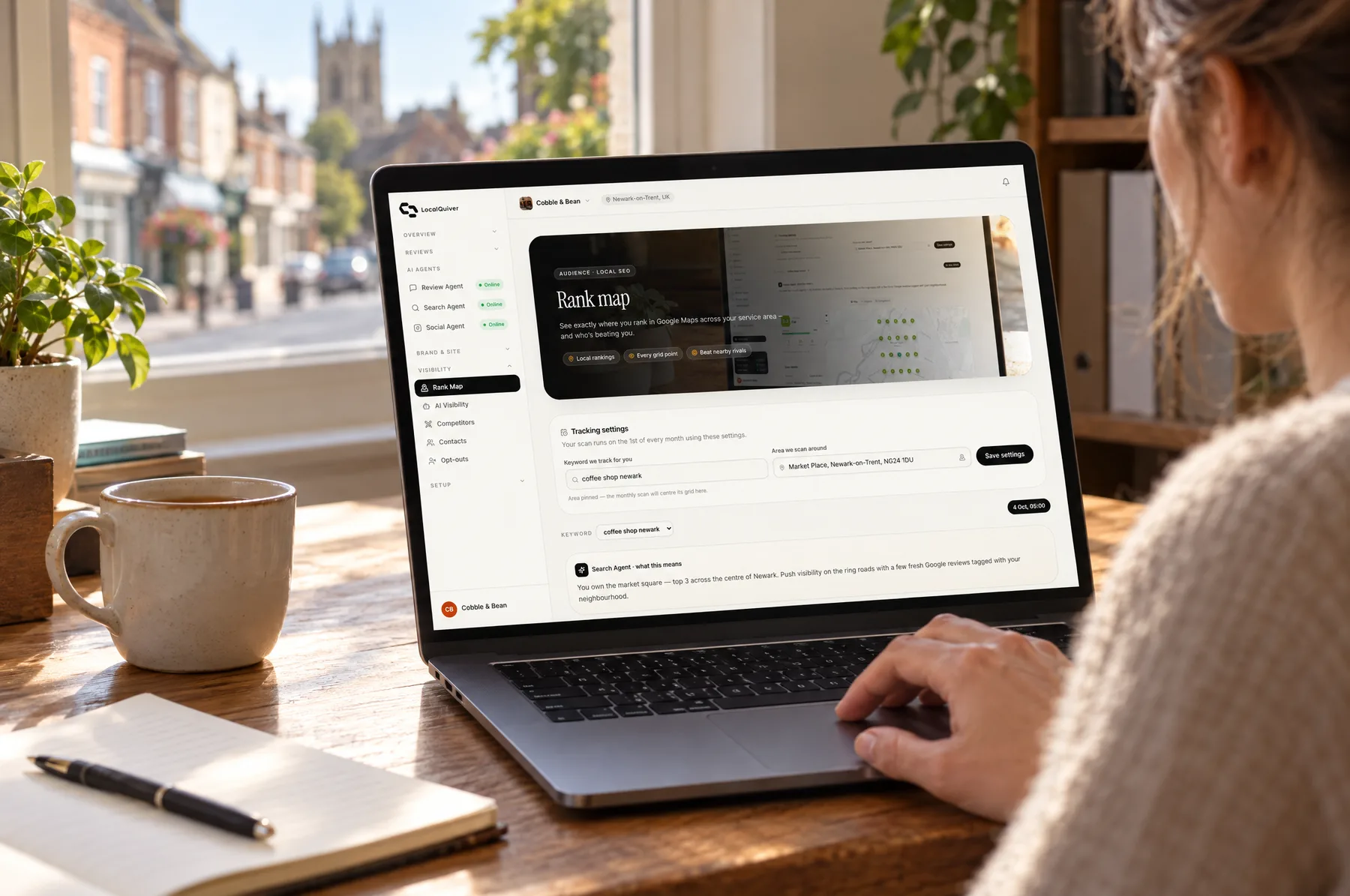
You can get a rough version for free: ask a few customers or friends in different parts of town to search your main phrase on their phones and send you a screenshot. If you'd rather not chase people, LocalQuiver's rank map runs one search phrase from a grid of points around your business once a month and shows who outranks you at each point.
A grid won't move you up by itself. What it shows is where to focus. A weak patch near a busy area might call for more reviews from customers there, a service page that names that area, or simply the realisation that a well-reviewed competitor sits right in the middle of it.
Myths to ignore
"Put your keywords in your business name"
You'll see listings like "Dan's Heating – Emergency Plumber Leeds". If the sign on Dan's van says "Dan's Heating", everything after it breaks Google's rules. The guidelines say your name should reflect your "real-world name, as used consistently on your shopfront, website, stationery and as known to customers", and that "including unnecessary information in your business name isn't permitted, and could result in the suspension of your Business Profile." Google's own examples of what isn't allowed include service information ("Midas Auto Service Experts" should be "Midas") and location information.
"You can pay Google to rank higher"
You can buy ads, which are labelled as sponsored. You can't buy a better position in the free results. Google: "There's no way to request or pay for a better local ranking on Google." Be wary of anyone who promises you a place in the pack.
"More categories means more searches"
Google asks for "the fewest number of categories that it takes to describe your overall core business" and says not to use categories "solely as keywords or to describe attributes of your business."
"A virtual office will get you into that town's results"
Google's guidelines say a rented postal address you don't operate from, "also known as a virtual office", "isn't eligible for a Business Profile", and PO boxes "aren't acceptable". If you travel to customers, set a service area and hide your address instead. Google says the overall area "shouldn't extend farther than about two hours of driving time from where your business is based."
How long it takes
Months, not days. Fixing a wrong category or missing hours is quick to do. Prominence is slower: reviews, links and a local reputation build over months and years, and your competitors aren't standing still. Be suspicious of anyone who names a date for results or promises a position. Nobody outside Google knows the formula, and nobody can control where your customers are standing when they search.
A realistic rhythm looks like this:
- This week: verify the profile, fix the category, fill in every field.
- This month: set up a simple way to ask every customer for a review, and reply to the ones you get.
- Every month after: add a few new photos, improve one page on your website, and answer one common customer question in writing.
- Check your visibility monthly, not daily. You're looking for a trend across your area, not a single result.
The short version
- The map pack is the three local listings under the map, and each one is a Google Business Profile.
- Google ranks them on relevance, distance and prominence. You can influence relevance and prominence; distance depends on the searcher.
- Verify, complete every field, choose the right primary category, earn and answer reviews, add real photos, keep your details consistent, and give your website a clear page per service.
- Don't add keywords to your name, buy reviews, use a virtual office or pay anyone promising a position.
- Expect months, not days, and judge your visibility across your whole area, not from behind your own counter.