New
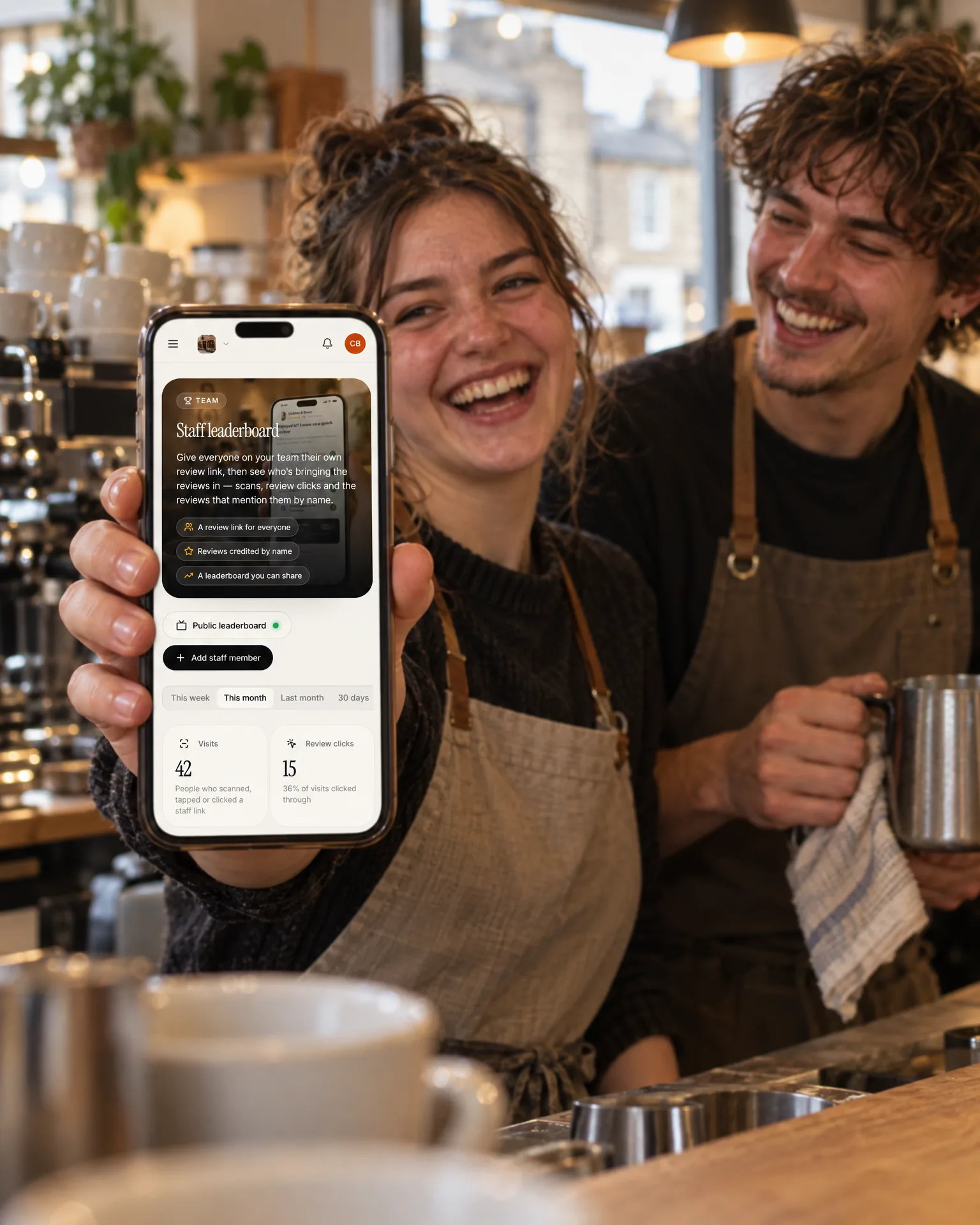
Customers often name the person who looked after them. Now everyone on your team gets their own review link and QR code, every review that mentions them is credited to them, and a live leaderboard shows who’s bringing the reviews in this week, this month or all year.
What changes
Credit where it’s due
When a review says Ellie made someone’s morning, Ellie gets the credit. Reviews from every connected site that mention a person’s name, or the nickname customers use, are counted for them, so great work never goes unnoticed.
A little friendly competition
A live board makes asking for reviews part of the day. The team can see who’s winning this week, the staff-room screen can show it, and every customer still sees exactly the same review page.
Know who to thank
See each person’s visits, review clicks and the reviews that name them, side by side. It shows who’s brilliant at asking, who customers remember, and where a word of encouragement could help.
The film
How the staff leaderboard gives everyone on the team their own review link and QR code, credits reviews that mention them by name, and ranks the team by visits, review clicks, reviews and conversion, with an optional public board.
Read the transcript
0:02Your team asks for reviews every day. But you can't see who's actually bringing them in.
0:08So add your team, with a photo and the nicknames customers really use, like Sammy for Sam.
0:14Everyone gets their own review link and QR code, for a name badge, or one of our tap cards.
0:20Every scan, tap or click counts for them, then opens your usual review page, the same for every customer.
0:28And when a review mentions them by name, on any connected review site, it's credited to them too.
0:34The leaderboard shows visits, review clicks, reviews and conversion, for any period, with a podium for the top three.
0:42You can even switch on a live public leaderboard, in your own branding, for the staff-room screen or the team chat.
0:49See who's winning you reviews, give them a shout-out, and enjoy a little friendly competition.
0:55LocalQuiver. Your marketing, sorted.
Open “Staff leaderboard” on its own page →Browse all our films →
How it works
- 01Add your teamAdd each person with a photo and the names customers really use, like Em for Emily or JD for John. Their full name always counts.
- 02Hand out their linkEveryone gets their own review link and QR code. Print it for a name badge, put it on one of our tap cards, or text it after a job.
- 03Every visit countsEach scan, tap or click on their link counts for them, then opens your normal review page, with the same public buttons every customer sees.
- 04Watch the boardRank by visits, review clicks, reviews or conversion for any week, month or custom dates, and share a live board with the team.
What's included
- A review link and QR code for every team member
- Photos and nicknames, so reviews match the way customers write
- Reviews credited from every connected review site
- Visits, review clicks, reviews, conversion and average rating
- Any period, from this week to all time, or custom dates
- A top-three podium, and a page for each person
- The reviews that mention each person, all in one place
- An optional live leaderboard in your own branding
- Works with our tap cards, name badges and printed QR codes
- Leavers archived without breaking their printed cards
By industry
The same feature works differently for a pub than a plumber. See how it works for yours.
Questions
It reads each review for their name or a nickname you’ve added, as whole words. A one-word name needs its capital letter, so ‘Will’ counts but ‘we will be back’ doesn’t. It’s name-matching, so it tells you who customers mention, not who served them.
No. If no links are handed out, the board still ranks everyone by the reviews that mention them. Hand out their links and their visits and review clicks join the board too, along with each person’s conversion from visit to review.
No. Each visitor counts once per period, so tapping your own card again won’t change the board, and review clicks count once per person too. Reviews only count when a published review actually mentions them by name.
Yes. A team member’s link opens your normal review page, with the same public buttons every customer sees. It only tells us whose link it was, so you can see who’s bringing the reviews in.
If you’d like them to. Switch on a live public leaderboard in your own branding for the staff-room screen, the team chat or a printout. It updates on its own, and you can switch the link off or make a new one at any time.
Book a free, no-pressure chat and we'll show you how the staff leaderboard would work for your business, set up and running for you.
