If your regulars come back often and you'd like a way to bring them back sooner, a digital wallet card is usually worth the set-up. If you just want a simple thank-you for repeat custom and would never send a message, a paper stamp card still does the job well. This guide compares the two honestly, explains what customers actually see on their phones, and shows how to design a card people finish.
How each one works
Paper stamp cards
You print small cards with a row of boxes. Each qualifying purchase earns a stamp, a punch or an initial, and a full card is swapped for the reward. There's nothing to connect and nothing for staff to learn, and it works for every customer, smartphone or not.
Digital wallet cards
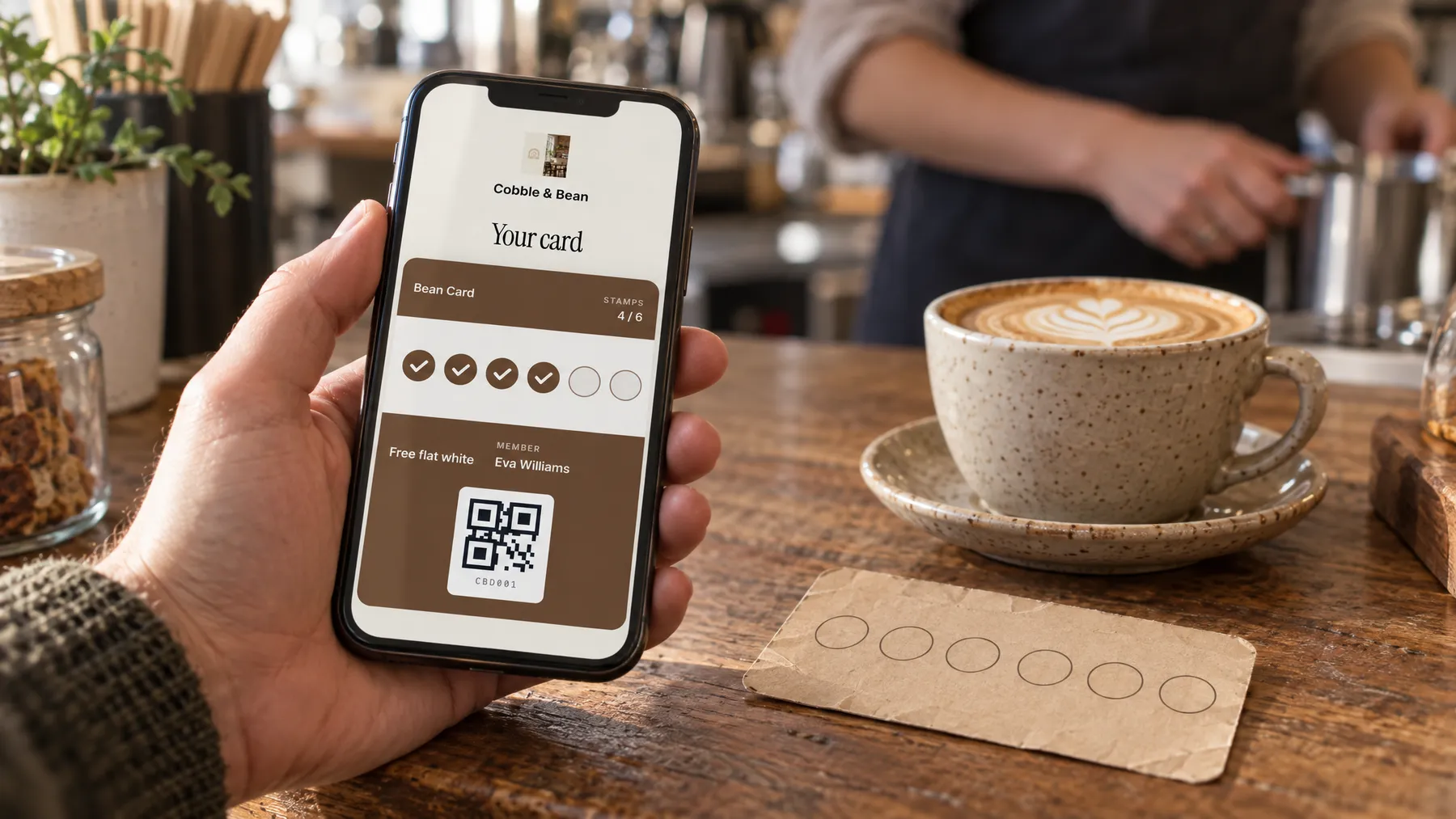
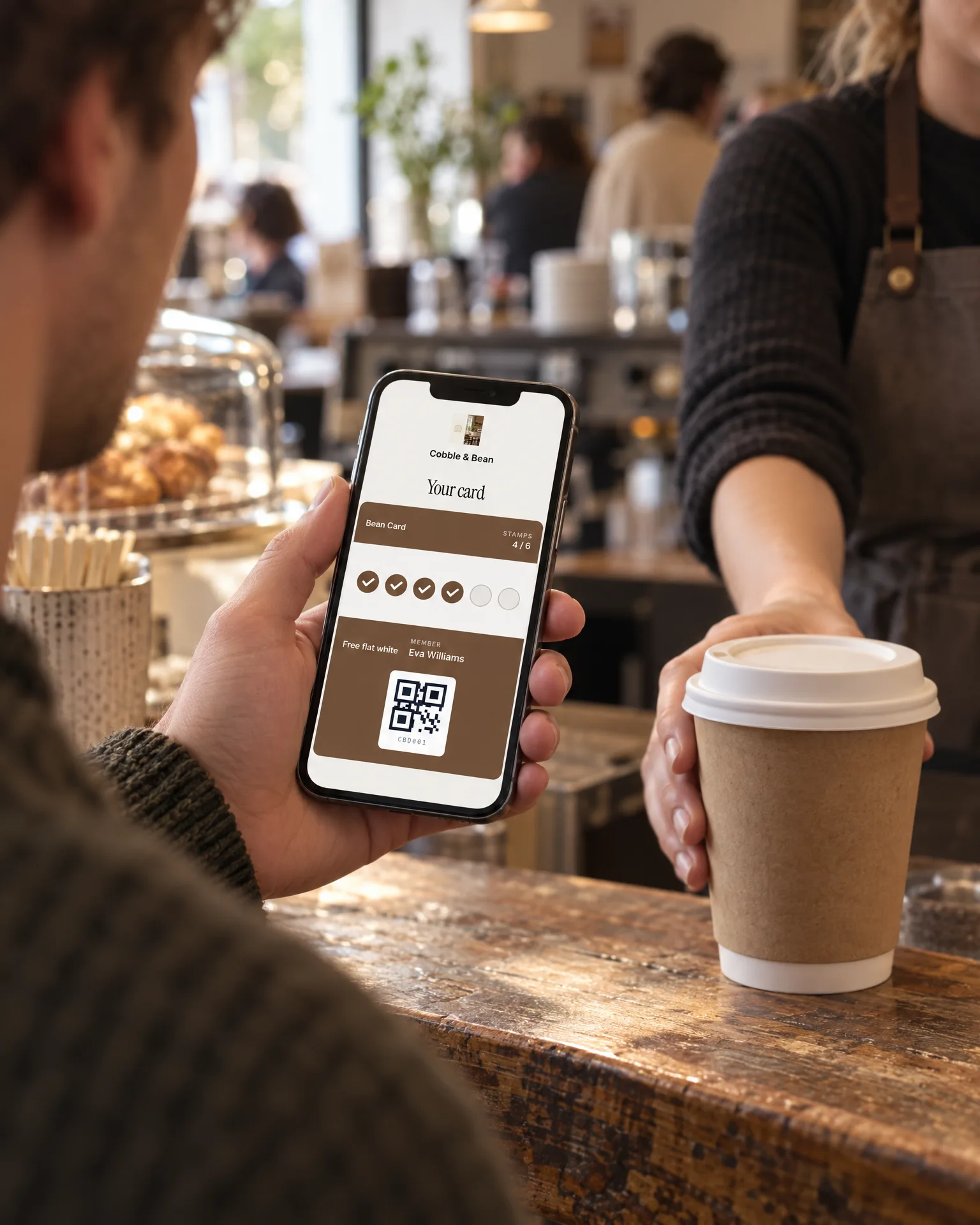
A digital card does the same job from the customer's phone. Typically they scan a QR code on a poster by the till, fill in a short form and tap Add to Apple Wallet or Add to Google Wallet. At the till, staff scan the code on the card and the new stamp shows up on it.
Apple's guidance for loyalty passes lists the ways a business can hand them out: "your app, App Clips, SMS, email, near field communication (NFC) tags, and QR codes". It also describes passes as "a great option for those who don't have your app". That's the point for an independent business: nobody has to download anything to join.
There are also loyalty apps, where customers install a separate app for your business. For one café or florist that's a big ask, so this guide sticks to wallet cards.
Paper vs digital: an honest comparison
| Paper stamp card | Digital wallet card | |
|---|---|---|
| Cost | A print run and a stamp. Cheap to start, and you pay again at every reprint. | Usually an ongoing software subscription. No printing beyond a counter poster. |
| Fraud and stamp copying | Easy to fake with a similar stamp, a pen or a generous friend behind the counter. A copied stamp looks like a real one. | In most systems, stamps are added by staff scanning the card, and each one is recorded. There's no stamp to copy. |
| Customers losing cards | Cards go through the wash, live in coat pockets or get left at home, and the progress goes with them. | The card sits in the phone's wallet, so it's there whenever the phone is. |
| Data and getting back in touch | None. You can't see who your regulars are or tell them about anything. | A list of members and, for those who agree, a way to send an occasional offer to the card itself. |
| Set-up effort | Design, print, hand out. | Choose a provider, design the card, set the reward, print the QR poster and show staff how to scan. Done once. |
| Staff effort at the till | Find the stamp, stamp, initial. Quick when it's quiet, easily forgotten in a rush. | Scan the card with a phone or tablet. Needs a working device and a connection. |
| Customers without a smartphone | No problem. | Left out, unless you keep paper as a backup. |
Paper wins on simplicity and reach. Digital wins on fraud, lost cards and, above all, the member list. If you'd never use that list, most of the digital advantage disappears.
How Apple Wallet and Google Wallet cards work for customers
From the customer's side, a wallet card behaves like a boarding pass or a concert ticket saved on their phone.
Joining. They scan your poster, give a name and whatever else you ask for, and save the card. Google's Wallet help confirms loyalty cards "can also be added directly from a partner issuer's website or app", not only from inside the Google Wallet app.
Using it. They open the card and show the code. Google's help page puts it plainly: "Ask the cashier to scan the barcode."
Updates. This is the real difference from paper: the card changes after it's been saved. Apple says passes can provide "real-time alerts, such as updates on points, balances, seasonal campaigns, and offers", coupled with Lock Screen notifications. Google's developer documentation says that when certain fields, such as a points balance, are updated, a notification "will appear on the user's lock screen and inform them that there is an update on their pass". So a customer can see their new stamp count as they walk away from the till, and get a nudge when a reward is ready.
Limits. Google allows a maximum of three messages, and three updates, that trigger a push notification in any 24-hour period, and customers need notifications switched on for their passes. Treat that as discipline rather than a nuisance: if a message isn't worth a lock-screen interruption, don't send it.
Location. Wallet cards can come forward when someone is nearby, but don't build your plan on it. Apple says notifications can be triggered by "relevant time and relevant location functionality held directly in the pass". Google's nearby notifications only reach people who have "granted precise, always on location access to the Google Wallet app", which is the customer's choice.
Designing a reward people actually want
A card only works if people finish it. Four decisions matter more than the design.
1. The reward
Pick something your regulars already buy, that costs you little and feels generous: a hot drink, a slice of cake, a pudding, a small seasonal bunch. Money off the next purchase is easy to offer but easy to forget. A named treat is something people look forward to.
2. How many stamps
Match the card to how often a good regular visits, so the reward lands within a month or two rather than a year. These are starting points, not rules:
| Business | One stamp for | Card length | Reward |
|---|---|---|---|
| Café | Each hot drink | 8–10 stamps | A hot drink |
| Restaurant | Each meal out | 5–6 stamps | A pudding or starter |
| Pub (food) | Each main meal or Sunday lunch | 6–8 stamps | A main or a pudding |
| Florist | Each bunch or arrangement | 5–6 stamps | A seasonal hand-tied bunch |
3. A head start
A common technique is to give the first stamp free when someone joins, so the card never starts at zero. A ten-stamp card with one box already filled feels under way from day one, and it gives people a reason to join today rather than "next time". Say so clearly on the card and the join page.
4. Simple, visible rules
"One stamp per hot drink" is easier for staff and customers than a spending threshold. Decide up front whether stamps expire, whether one person can collect for a whole table, and whether the reward can be swapped. Write the answers on the join page.
Consent and marketing rules in the UK
A wallet card can send two kinds of message, and the rules treat them differently. This is a plain-English summary, not legal advice.
Service messages. "You've got 7 of 9 stamps" or "Your reward is ready" are administrative. The ICO says messages sent purely for administrative or customer service purposes don't count as direct marketing, but "if you add advertising or marketing material the message becomes direct marketing".
Marketing messages. "Pop in on Thursday for a free extra shot" is marketing. Under PECR (the Privacy and Electronic Communications Regulations), the ICO's guidance covers marketing by "electronic mail", which it says includes email, texts, picture and video messages, voicemail, in-app messages and direct messages on social media. You need specific consent unless the "soft opt-in" applies: you got the contact details directly while selling or negotiating to sell, you only market similar products, and you gave people a chance to opt out when you collected their details and in every message since.
Wallet notifications aren't named in the ICO's list. The cautious reading is to treat an offer pushed to a wallet card like a marketing text, and send offers only to members who said yes.
What good consent looks like, according to the ICO:
- A positive action. You "must not use pre-ticked opt-in boxes, silence or inactivity as evidence of consent".
- Freely given, specific and informed. Say what you'll send and who it's from. Keep the offers box separate from joining, so someone who only wants stamps still gets the card.
- A record. Keep a record of consent "(eg who, when, how)" so you can show it is valid.
- Only the data you need. UK GDPR says personal data should be "adequate, relevant and limited to what is necessary", and the ICO warns against collecting data "on the off-chance that it might be useful in the future". If you'll never use a date of birth, don't ask for one.
When paper is still fine
Digital isn't automatically better. Paper is still a sensible choice when:
- You're testing the idea. A cheap paper card tells you whether customers care about a reward at all before you pay for software.
- Your regulars don't live on their phones. If many of your customers prefer paper, keep it alongside digital rather than forcing a switch.
- The signal is patchy. Market stalls, pop-ups and events in fields are not where you want to rely on a scanner and a connection.
- It's a short campaign. A summer card for one product doesn't need a member list.
- You'll never send a message. If the list will sit unused, you're paying mainly for fraud protection and fewer lost cards.
If you stay with paper, make it harder to fake: use a stamp with a distinctive design, ask staff to initial and date each stamp, number the cards, and keep the stamp behind the counter.
Next steps
- Work out how often a good regular visits, and set the card length so the reward lands within a month or two.
- Choose a reward people already buy, and give the first stamp on joining.
- Decide on paper, digital or both, based on who your customers are and whether you'd use a member list.
- If you go digital, add a separate, unticked offers box, and only send offers to members who ticked it.
- If you run a pub, keep stamps and rewards to food, coffee or non-drink extras.
- Look again after three months: how many cards are being finished, and what do staff find awkward?
If you'd rather not build this yourself, LocalQuiver's digital loyalty cards put a stamp or points card in Apple Wallet or Google Wallet with no app to download. Staff stamp it by scanning the card's QR code with a phone or tablet, and offers only go to members who ticked the separate offers box. There's more on loyalty cards for cafés and for pubs and bars, and once regulars are coming back, our social media plan for busy local businesses helps keep them talking about you.