Automations for plumbers
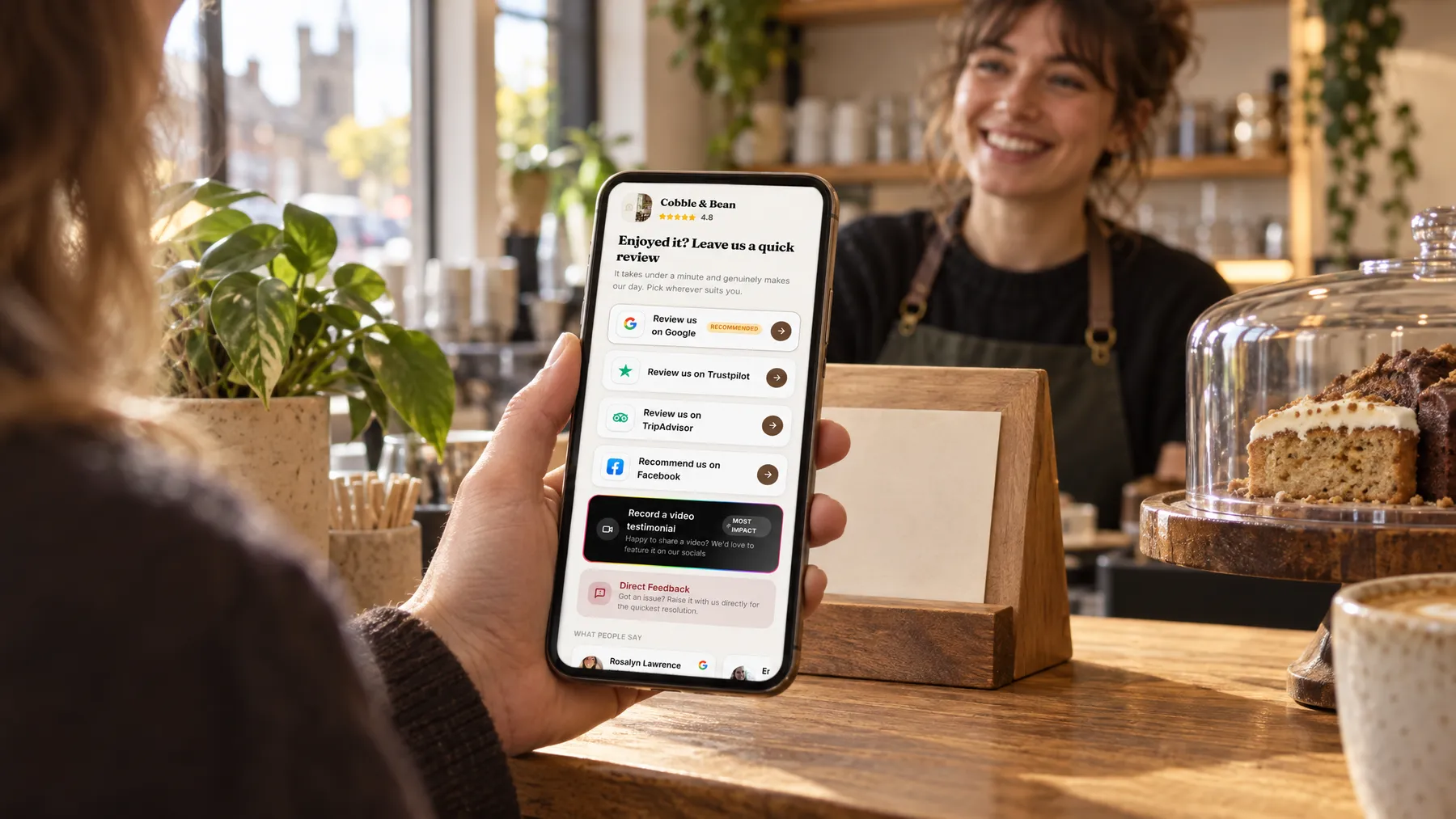
Nobody remembers to text every customer during a January cold snap. Once automatic requests are on, each new contact is enrolled, the message waits until a set time after the job, and up to two gentle follow-ups go out by text or email. It all stops as soon as they tap through.
- Visit or job doneAdded to contacts
- Review requestBy text or email, when you choose
- Gentle follow-upOnly if they haven't tapped through
- Taps through to reviewFollow-ups stop by themselves
How it works for plumbers
Timed around the job
Choose a wait anywhere from straight away to 72 hours, counted from when the customer is added or from the job date and time. A request that arrives the evening after the heating comes back on feels thoughtful rather than pushy.
Follow-ups that know when to stop
One opening message, then up to two follow-ups, each waiting the hours or days you set. The moment the customer taps through to a review site, records a video or sends feedback, the remaining messages are cancelled.
However the customer arrives
Customers added by hand, imported from a spreadsheet, invoiced through LocalQuiver or sent over from your job software are all enrolled the same way. LocalQuiver can connect your job software via Zapier, and we set that up for you.
The rest keeps running too
Google reviews import hourly, the Review Agent replies, the Search Agent writes, and your rank map scans on the 1st. Each agent shows Online when it’s running hands-free or Manual when it drafts and waits for you.
Asked politely. Followed up for you.
- Review request Text or email, after the visit
- Friendly reminder A couple of days later
- Taps through to review Follow-ups stop by themselves
A Monday in February at Fernside Plumbing
A busy week, and every customer still asked
Chloe runs the office at Fernside Plumbing while two engineers clear a backlog of frozen condensate pipes. LocalQuiver has connected their job software via Zapier, so each finished job adds the customer to LocalQuiver with the job time. Three hours after each visit, a short text goes out in Fernside’s name. Two days later, anyone who hasn’t tapped through gets a friendlier nudge by email. Chloe doesn’t send a single message herself. On Friday she simply reads whatever has come in.
An illustration of how it works, not a real customer.
The film
How LocalQuiver asks every new customer for a review automatically, times the first message, sends up to two follow-ups that stop once the customer taps through, and runs each agent's scheduled work. It works the same way for plumbers.
Read the transcript
0:02Busy days are when asking for a review gets forgotten.
0:06So every new customer is asked automatically, whether they're typed in, imported, invoiced, or added from your job software through Zapier.
0:15You choose when the first message goes: straight away, or up to 72 hours later, counted from when they're added, or from the job date.
0:23If it's missed, up to two gentle follow-ups go out by text or email, each waiting the hours or days you set.
0:31And the moment they tap through to a review site, it stops by itself.
0:37Meanwhile, the rest runs on its own schedule: reviews imported, Google replies posted, articles written, posts shared, and your monthly report waiting on the first.
0:47Every agent shows Online, working hands-free, or Manual, drafting and waiting for your OK.
0:54You do the job. The asking takes care of itself.
0:59LocalQuiver. Your marketing, sorted.
Open “Automations that do the chasing” on its own page →Browse all our films →
What's included
- Every new contact enrolled automatically
- A wait from straight away to 72 hours after the job
- One opening message plus up to two follow-ups
- Text, email, or a mix of both
- Stops when the customer taps through, records a video or sends feedback
- Job software connected via Zapier, set up by LocalQuiver
- Opt-outs checked before every send
More for plumbers

Questions
No. LocalQuiver can connect your job software via Zapier, so finished jobs can add customers for you. Invoices you send, spreadsheet imports and contacts typed in by hand are enrolled too, so nobody slips through because they came in a different way.
Every text carries an opt-out link and every email has an unsubscribe. Opt-outs are recorded per channel and checked before every send, so someone who opts out of texts won’t get another one. You can also add someone to the opt-out list by hand.
Most of it. Review requests, imports, Google replies and monthly scans run on their own. Some parts wait for your approval by default, and each agent shows whether it’s Online or Manual. By default, lower-rated Google reviews wait for you, with a draft reply ready.
Automations
Book a free chat and we'll show you how it would work for your plumber, set up and running for you.