Showcase for restaurants
Diners choose with their eyes, often on their phone before they book. Photograph a new dish at the pass, choose which of your services it belongs to and add a line about it. The photos appear on your website and Google profile at once, and a post written from your words follows on the day you set.
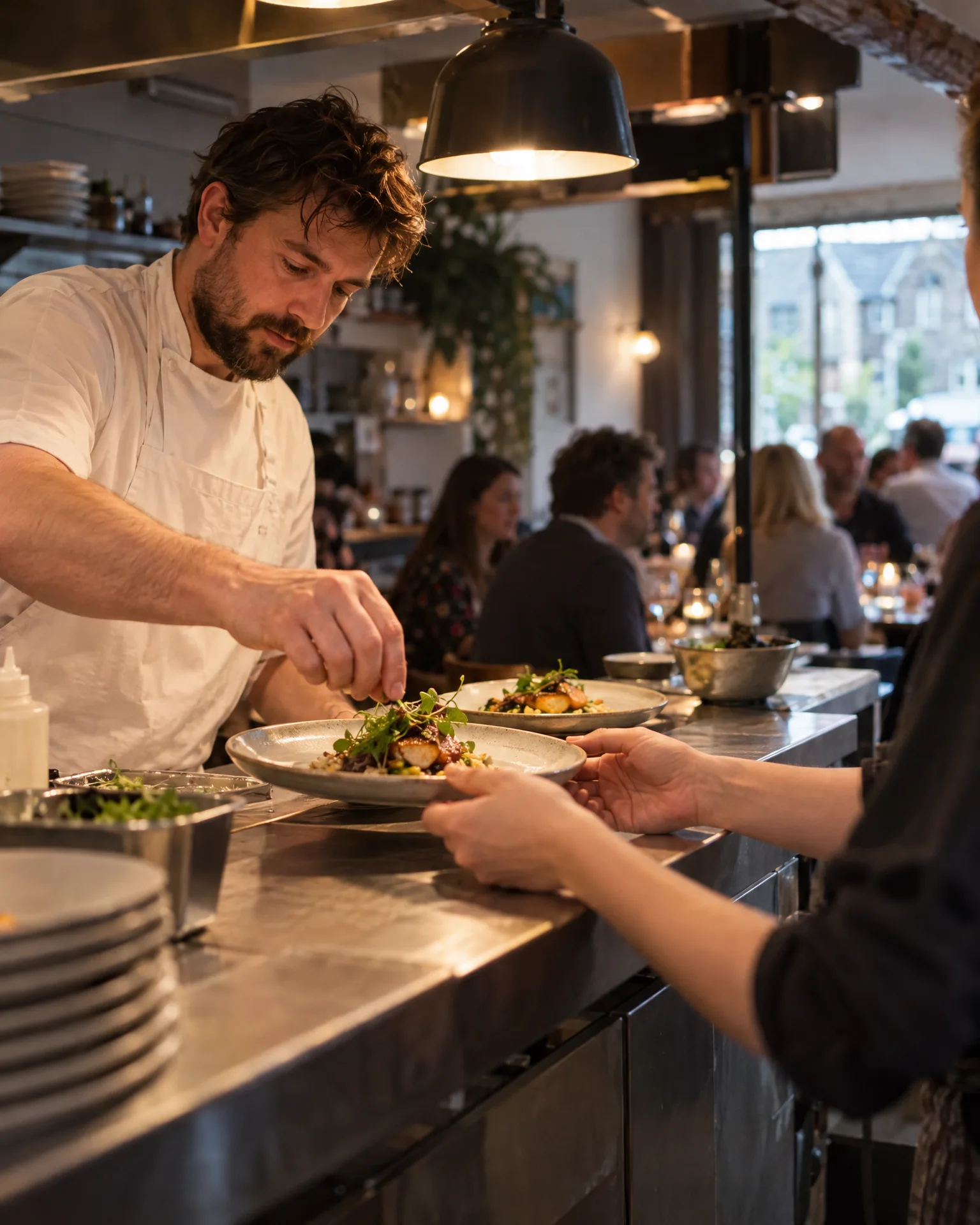
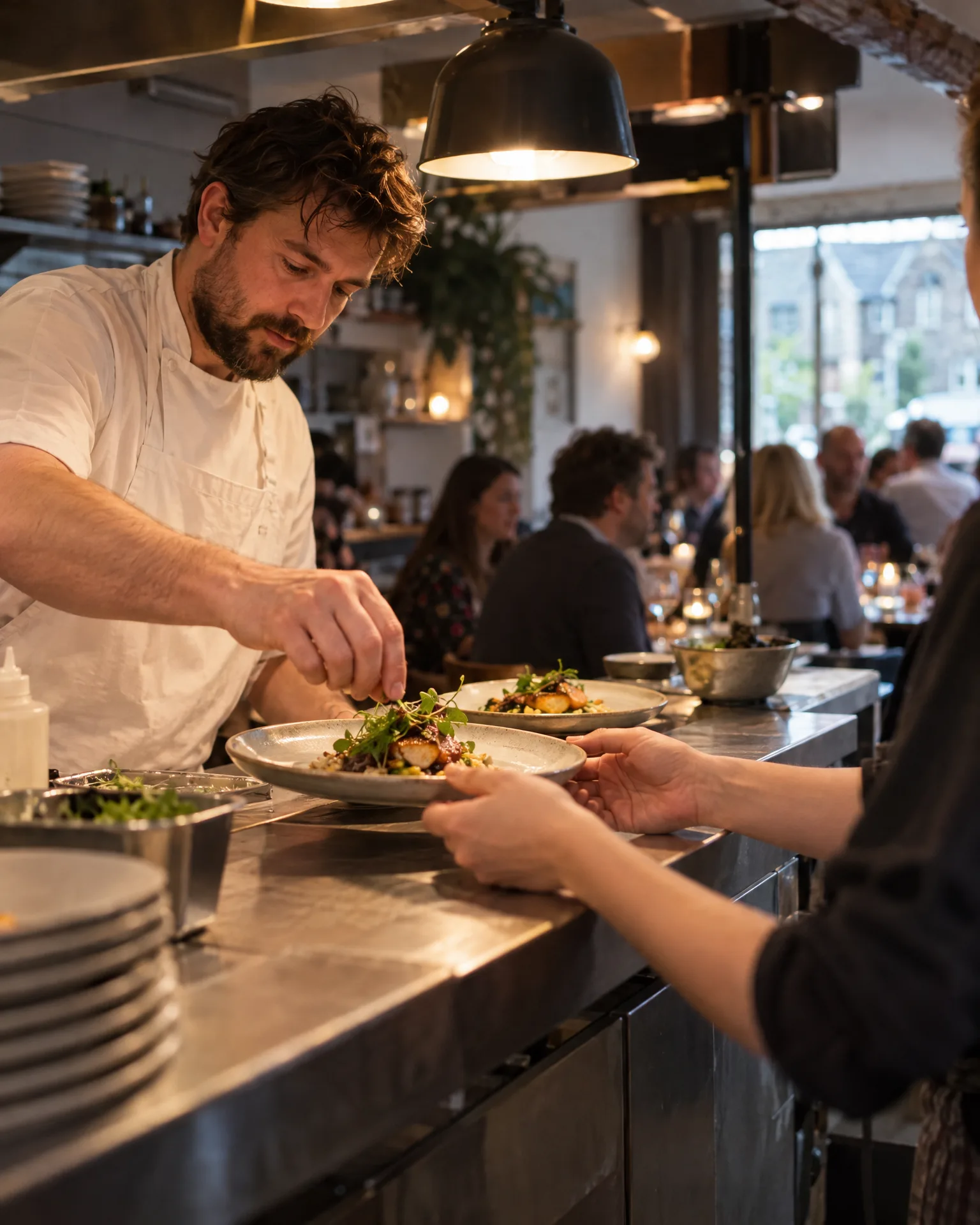 Polished, not changed
Private dining
“Our new autumn tasting menu, plated for a party of 12”
How it works for restaurants
Shot at the pass, before service
Plate the new dish and take up to six photos on your phone before the first table orders it. Or upload shots from earlier: the private dining room laid for twelve, the terrace on its first warm evening, the Sunday roast carved at the table.
The plate as it really looks
AI improves the light, colour and sharpness that dim dining-room lighting takes away, and never adds, moves or removes a garnish. Polished and As taken sit side by side, and a result that no longer matches your photo is set aside for a plain touch-up.
Seasonal menus and private dining
Choose the service, such as Private dining or Sunday lunch, and on a website we build the photos appear first in your home page gallery and on that service’s own page. They’re added to your Google profile’s photos too, where diners comparing places tonight can see them.
Captions without the menu-writing
Type what the dish is, like ‘wild garlic gnocchi with brown butter, on the spring menu from Thursday’, and AI writes a short caption from it in your voice. It never adds ingredients you didn’t mention, a price or a guest’s name.
“The best meal we’ve had all year.”
Olivia, on Google“Sunday lunch here is a family tradition now.”
Tom, on Google“Warm, welcoming and the food is superb.”
Anjali, on GoogleSpring menu week at Casa Ferro
Wild garlic gnocchi, photographed at the pass
Luca put wild garlic gnocchi on Casa Ferro’s spring menu and took three photos of the first plate at the pass on Tuesday afternoon, before service. He picked Seasonal menu, typed ‘wild garlic gnocchi with brown butter and pecorino, new on the spring menu’ and chose Thursday, when the menu changed. The photos went to the front of the website’s gallery and onto the seasonal menu page straight away, and into the Google profile’s photos. When Thursday came, the post went out with all three photos, and the first went on Google as an update.
An illustration of how it works, not a real customer.
The film
Snap a finished job, say what it was, and it goes straight onto your website and Google profile, then out on your socials on the day you pick. It works the same way for restaurants.
Read the transcript
0:02You do great work every day. But it rarely makes it onto your website, or your socials.
0:09With Showcase, snap the finished job on your phone, pick the service, and add a few words.
0:17Your photos are polished, never changed, and go straight onto your website: your home page gallery, and that service's page.
0:25They're added to your Google profile too, and a caption is written from your own words.
0:30On the day you pick, it goes out on your socials, and as a Google update.
0:37Your best work, out there. Without the admin.
0:41LocalQuiver. Your marketing, sorted.
Open “Showcase: your work on your website and socials” on its own page →Browse all our films →
What's included
- Up to six photos of a dish, a menu or a room
- Light and colour polished, the plate left as it was
- First in your home page gallery, on websites we build
- On the Sunday lunch, private dining or menu page too
- Photos added to your Google profile as well
- A caption from your words, never a price or a guest’s name
- The next free day, or the day the menu changes
More for restaurants
Read more


Questions
Yes. Choose Pick a day and set any date up to 120 days ahead. The photos go onto your website and Google profile straight away, though, so add the dish once it’s actually on, or close to it, rather than weeks before.
Yes. Pick Private dining from your service list and, on a website we build, the photos join that page’s gallery as well as the home page’s. If it isn’t one of your services, tap Other and type it, and the photos lead your home page gallery instead.
Yes. Delete it in Showcase and its photos come off your website, and the post comes off the calendar if it hasn’t gone out yet. Anything already posted stays put, and photos on your Google profile stay until you remove them in Google.
Showcase
Book a free chat and we'll show you how it would work for your restaurant, set up and running for you.
