Review management for builders and roofers
Homeowners trust other homeowners. LocalQuiver asks each client for a review by text or email once the job’s done, follows up gently if they forget, and gathers every Google, Checkatrade, Facebook and Trustpilot review into one inbox, so the proof of your work keeps building while you’re on the next site.

Asked politely. Followed up for you.
- Review request Text or email, after the visit
- Friendly reminder A couple of days later
- Taps through to review Follow-ups stop by themselves
How it works for builders and roofers
Ask at handover, not months later
Time the request from the job date, or from when you add the client, and it goes out by itself. A twelve-week extension still gets its review moment at the end, rather than a vague promise you’d both forgotten by spring.
Google and Checkatrade, one review page
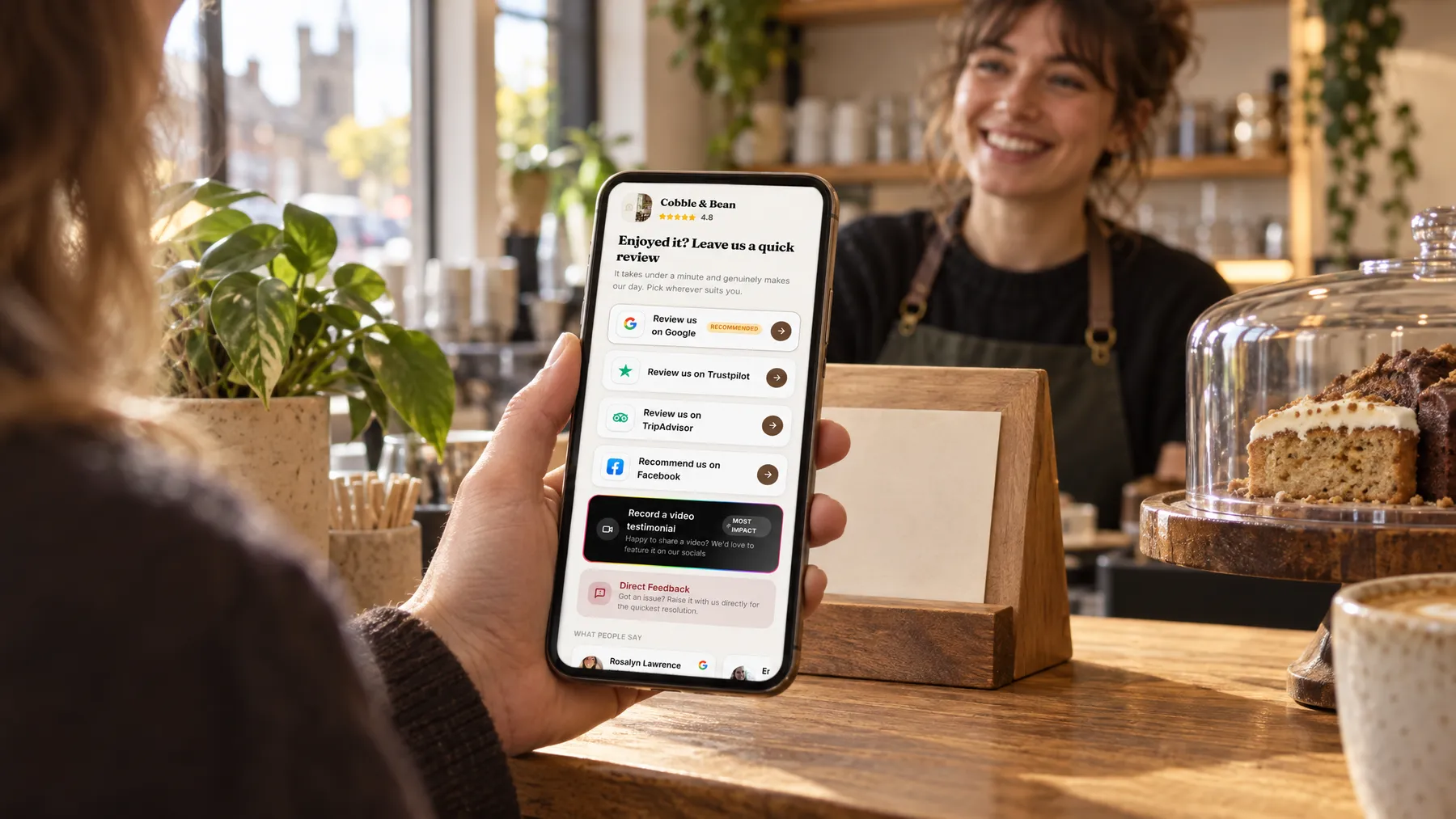
Your branded review page lists the sites in the order you choose, with Google marked as recommended. Google and Checkatrade open straight into the review box, so a client who meant to write something does it while they’re still pleased with the new roof.
Up to two gentle follow-ups
Clients are busy living around building work. If the first text slips past, one or two follow-ups go out after the wait you set, and the sequence stops by itself as soon as they tap through to a review site.
QR codes for van and site board
Make named QR codes for the van door, the site board and your paperwork, each with its own count of opens and review-button taps. A tap isn’t proof a review was written, but it tells you which spots clients actually notice.
Our extension came in on time, and the site was tidy every evening.
Handover week at Brackenridge Builders
A kitchen extension finished, and the review asked for
Tom’s team finishes a kitchen extension on a Thursday, and he adds the client, Helen, to his contacts from the van. The next morning a short text from Brackenridge Builders thanks her and links to the review page. She’s busy moving furniture back in, so nothing happens. Two days later a follow-up arrives, she taps through to Google and writes a few lines about the tidy site and the bifold doors. The sequence stops the moment she taps through. Tom never had to bring it up.
An illustration of how it works, not a real customer.
The film
Customers scan a QR code or tap one of our tap cards to reach a branded review page, get a friendly text or email with gentle follow-ups, can choose to give private feedback as an extra option, and every review lands in one inbox. It works the same way for builders and roofers.
Read the transcript
0:02You do great work, every single day. But reviews only come in when someone remembers to ask.
0:09Customers can leave a review in seconds. They scan your QR code, or simply tap their phone on one of our tap cards.
0:16It opens your branded review page, with Google marked as recommended, plus Facebook, Tripadvisor, Trustpilot and Checkatrade, in the order you choose.
0:26After every job or visit, a friendly text or email asks for a review, then gently follows up, so you never have to chase.
0:34And if something wasn't quite right, customers can choose to tell you privately. It's an extra option, and everyone still sees the same public review buttons.
0:43Every review then lands in one inbox, with private feedback alongside, so you can stop logging in to five different sites.
0:51More five-star reviews, without the chasing. Because every fresh review gives someone nearby one more reason to choose you.
0:59LocalQuiver. Your marketing, sorted.
Open “Review management with LocalQuiver” on its own page →Browse all our films →
What's included
- Review requests by text or email, sent in your firm’s name
- Up to two follow-ups that stop once the client taps through
- Google, Checkatrade, Facebook and Trustpilot reviews in one inbox
- A branded review page, Google first and Checkatrade alongside
- Named QR codes for the van, site board and invoices
- Optional private feedback alongside the public review buttons
- Video testimonials clients record on their phone, ready to download
More for builders and roofers

Questions
Usually at handover, when the work is fresh and the client is pleased. Automatic requests can be timed from the job date, with a wait of up to 72 hours, or you can send one by hand whenever suits, say after a roof repair has held through the next downpour.
Every client gets the same public review buttons, delighted or not. There’s also an optional private box if they’d rather tell you directly, which lands in your inbox and is never published. It sits alongside the public options and never replaces them, so every client has the same choice.
Yes, with the Reputation module. From your review page, a client can record up to two minutes on their own phone in the browser, or upload a clip, after giving their name and ticking a consent box. The video lands in your inbox to watch and download.
Review management
Book a free chat and we'll show you how it would work for your builder, set up and running for you.