Review management for dental practices
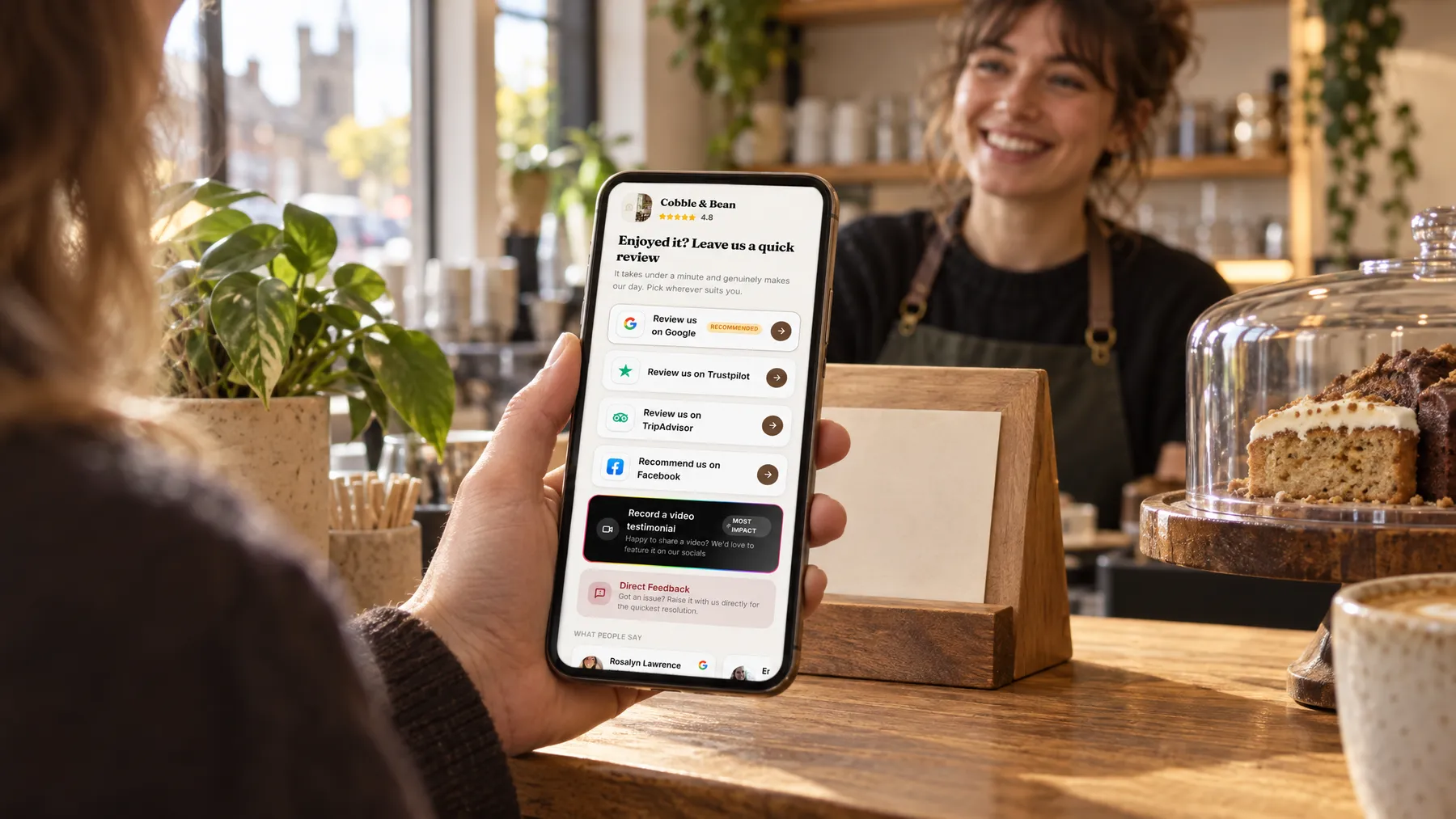
Plenty of patients would happily say something kind, if only someone asked. LocalQuiver sends a short, friendly invitation after each appointment, by text or email in your practice’s name. Every patient sees the same review page, with Google first, and nothing is ever offered in return.

Asked politely. Followed up for you.
- Review request Text or email, after the visit
- Friendly reminder A couple of days later
- Taps through to review Follow-ups stop by themselves
How it works for dental practices
Asked at the right moment
Add patients by hand, import a spreadsheet, or, if your practice software connects to Zapier, let us link it. The invitation goes at the time you choose after the appointment, and the text shows your practice name as the sender.
The same choice for every patient
Your review page lists Google, Facebook and Trustpilot in the order you pick, with Google marked as recommended. Patients can also choose to tell you something privately, but that is an extra option: it never replaces or filters the public buttons.
Codes for reception and the waiting room
Put a named QR code on the reception desk, another in the waiting room and one on your appointment cards, or use our tap cards. You’ll see how often each is opened, though a tap never proves a review was written.
Everyone was so kind and patient. The whole team was lovely.
A Thursday at Wrenmoor Dental
How a nervous patient’s thank-you reached Google
Priya, the practice manager at Wrenmoor Dental, adds the day’s patients before lunch. At six, Tom, who hadn’t seen a dentist in years, gets a text from the practice thanking him for coming in and asking how it went. On the sofa that evening he taps Google and writes about how calm the hygienist kept him. Priya never had to ask at the desk, and nobody was offered anything for it.
An illustration of how it works, not a real customer.
The film
Customers scan a QR code or tap one of our tap cards to reach a branded review page, get a friendly text or email with gentle follow-ups, can choose to give private feedback as an extra option, and every review lands in one inbox. It works the same way for dental practices.
Read the transcript
0:02You do great work, every single day. But reviews only come in when someone remembers to ask.
0:09Customers can leave a review in seconds. They scan your QR code, or simply tap their phone on one of our tap cards.
0:16It opens your branded review page, with Google marked as recommended, plus Facebook, Tripadvisor, Trustpilot and Checkatrade, in the order you choose.
0:26After every job or visit, a friendly text or email asks for a review, then gently follows up, so you never have to chase.
0:34And if something wasn't quite right, customers can choose to tell you privately. It's an extra option, and everyone still sees the same public review buttons.
0:43Every review then lands in one inbox, with private feedback alongside, so you can stop logging in to five different sites.
0:51More five-star reviews, without the chasing. Because every fresh review gives someone nearby one more reason to choose you.
0:59LocalQuiver. Your marketing, sorted.
Open “Review management with LocalQuiver” on its own page →Browse all our films →
What's included
- Review requests by text or email, in your practice’s name
- Up to two gentle follow-ups that stop once a patient taps through
- Your own review page, with Google first and marked as recommended
- Named QR codes for reception, the waiting room and appointment cards
- Google, Facebook and Trustpilot reviews together in one inbox
- Private feedback as an extra choice, never a filter
- An opt-out link on every text and unsubscribe on every email
More for dental practices

Questions
We’d steer you away from it. Rewarding reviews can break Google’s rules and UK consumer law, and in a healthcare setting it can feel wrong to patients. LocalQuiver simply asks, kindly and the same way for everyone, and leaves the rest to them.
No. The text or email opens your review page in their phone’s browser, and Google and Trustpilot open straight into the review box. If you’d like, the page can begin with a few branded slides introducing the practice and the team.
It lands in your inbox, is never published, and gives you the chance to call them and put things right. They were shown the same public review buttons as everyone else, so private feedback never stands between a patient and Google.
Review management
Book a free chat and we'll show you how it would work for your dental practice, set up and running for you.