Review management for garages
Drivers choosing a garage want to know one thing: will they be treated fairly. LocalQuiver asks each customer for a review after their MOT, service or repair, by text or email in your garage’s name, and gathers Google, Facebook and Trustpilot reviews in one inbox, so that answer is waiting for every new driver.

Asked politely. Followed up for you.
- Review request Text or email, after the visit
- Friendly reminder A couple of days later
- Taps through to review Follow-ups stop by themselves
How it works for garages
A review stand on the counter
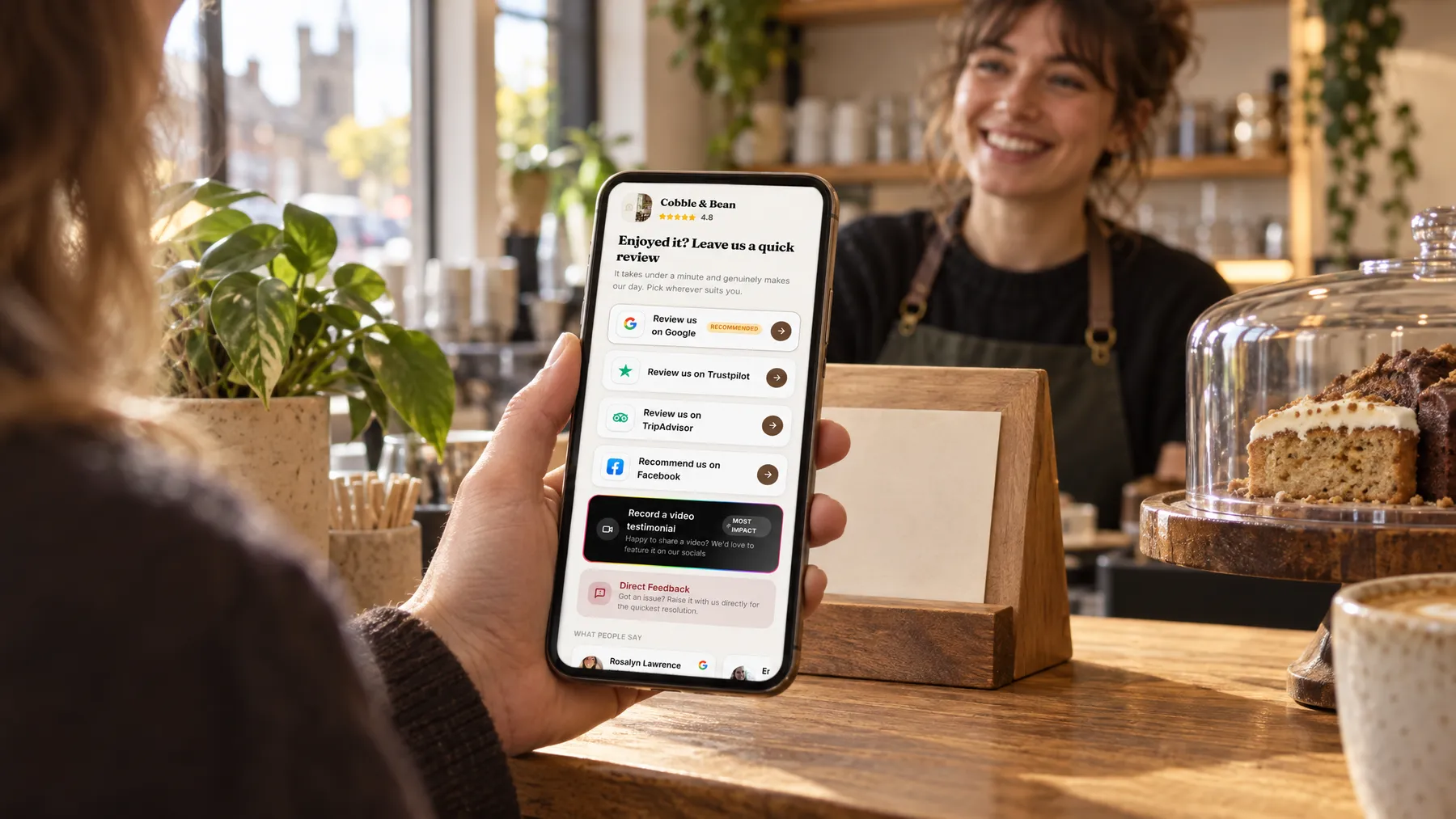
While customers pay, they can scan your QR code or tap their phone on one of our tap cards. Your review page opens with Google marked as recommended, straight into the review box, before they’ve even found their car keys.
Messages that mention the job
Merge tags drop in the customer’s first name, the job and the date, so the text thanks them for their MOT or new tyres rather than reading like a circular. Check it in the live preview and send a test to yourself first.
Named codes for every spot
Make separate QR codes for the counter, the waiting room and the invoice, then see opens, unique visitors and review-button taps for each. Taps show interest rather than finished reviews, but they tell you which spot people notice.
Private feedback as an extra
Alongside the public buttons, customers can choose to tell you something privately, perhaps about the wait or a rattle that came back. It lands in your inbox and is never published, and every customer still sees the same review sites.
Honest MOT, no upselling, and the car was ready by lunch.
A Saturday morning at Wrenfield Motors
A morning of MOTs and no awkward asking
Saturday is MOT morning at Wrenfield Motors, and Kirsty runs the front desk alone. As each driver pays, she nods at the review stand by the card machine. One scans the QR code while she prints his paperwork. Another is in a rush, so Kirsty adds her to the contacts list, and a text with a link to the review page follows that afternoon. By lunchtime every customer has been asked, and not one conversation felt awkward.
An illustration of how it works, not a real customer.
The film
Customers scan a QR code or tap one of our tap cards to reach a branded review page, get a friendly text or email with gentle follow-ups, can choose to give private feedback as an extra option, and every review lands in one inbox. It works the same way for garages.
Read the transcript
0:02You do great work, every single day. But reviews only come in when someone remembers to ask.
0:09Customers can leave a review in seconds. They scan your QR code, or simply tap their phone on one of our tap cards.
0:16It opens your branded review page, with Google marked as recommended, plus Facebook, Tripadvisor, Trustpilot and Checkatrade, in the order you choose.
0:26After every job or visit, a friendly text or email asks for a review, then gently follows up, so you never have to chase.
0:34And if something wasn't quite right, customers can choose to tell you privately. It's an extra option, and everyone still sees the same public review buttons.
0:43Every review then lands in one inbox, with private feedback alongside, so you can stop logging in to five different sites.
0:51More five-star reviews, without the chasing. Because every fresh review gives someone nearby one more reason to choose you.
0:59LocalQuiver. Your marketing, sorted.
Open “Review management with LocalQuiver” on its own page →Browse all our films →
What's included
- Review requests by text or email in your garage’s name
- Templates with first name, job and date merge tags
- QR codes for the counter, waiting room and invoices
- Our tap cards and review stands for the front desk
- One inbox for Google, Facebook and Trustpilot reviews
- Customer photos and videos from Google reviews
- Optional private feedback beside the public buttons
More for garages

Questions
Yes. A review stand or our tap cards on the counter let customers leave a review while they wait for their keys, and the same branded review page opens from a text or email later on. Either way, Google is only a couple of taps away for them.
Yes. Asking everyone the same way is fair and keeps you within Google’s rules. A customer unhappy about a bill can leave a public review or choose to tell you privately; it’s their choice, and the public options are always on the page for every customer.
They do. A Facebook recommends or doesn’t recommend comes into the inbox as five stars or one star, next to your Google and Trustpilot reviews. Google is checked every hour, while Facebook and Trustpilot are read once a day from their public pages.
Review management
Book a free chat and we'll show you how it would work for your garage, set up and running for you.